Free URL Shortener API: Shorten Links With cURL, PHP, JavaScript and Python
Need to shorten links from your app, store or spreadsheet? Compare free URL shortener APIs and copy working examples for cURL, PHP, JavaScript, Python and Google Sheets.
In this article
Quick answer: Create a free Url Jetz account, generate an API key under Settings, then send a
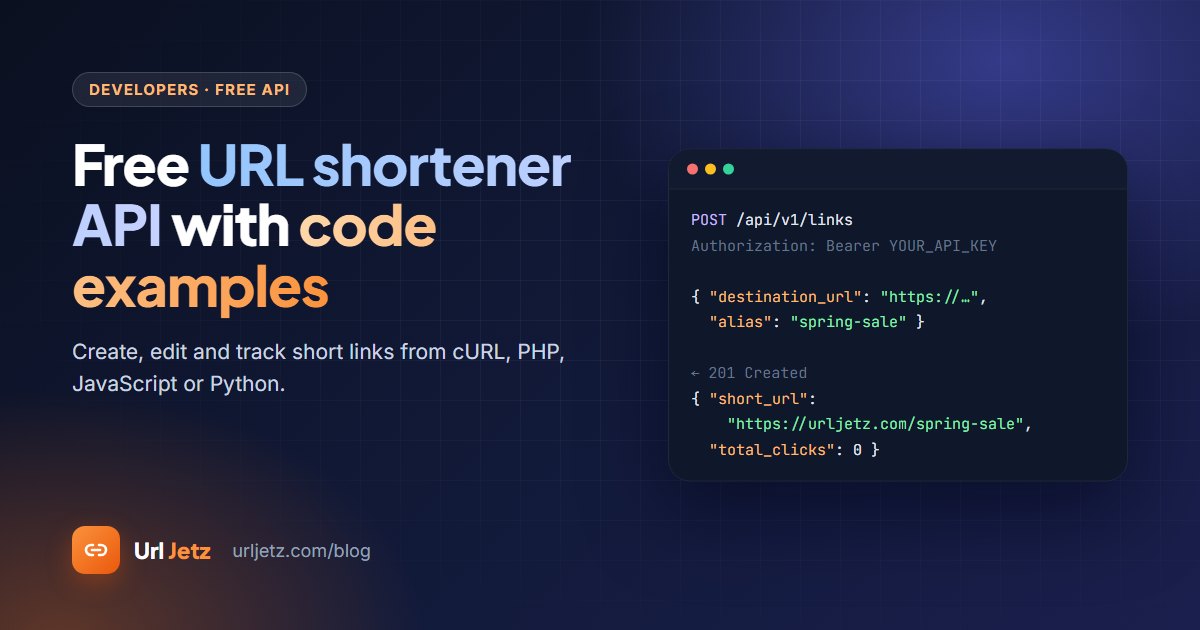
POSTrequest tohttps://urljetz.com/api/v1/linkswith your key in theAuthorization: Bearerheader and the long URL asdestination_url. The response contains yourshort_url. Custom aliases, editing, deleting and click counts are all free, with up to 120 requests a minute.
A URL shortener API lets your own software create short links without anyone opening a website. Online shops use it for product links in SMS, newsletters use it for tidy tracked links, and teams use it to shorten hundreds of links straight from a spreadsheet.
This guide compares the free URL shortener APIs available in 2026 and gives you working code you can paste into your project.
Free URL shortener APIs compared
Most shorteners have an API. The difference is what the free plan lets you do with it:
| API | Free limit | Key needed | Custom alias | Edit or delete links | Click data via API |
|---|---|---|---|---|---|
| Url Jetz | 500 links a day, 120 requests a minute | Yes (free) | Yes | Yes | Yes, per link |
| Bitly | 5 links and 1,000 requests a month | Yes | 3 a month | No edits on free | No history on free |
| is.gd | 200 links an hour per IP | No | Yes | No | Only if switched on per link |
| Short.io | 1,000 API links in total | Yes | Yes | Yes | Yes |
| Dub | 25 links a month | Yes | Yes | Yes | Analytics endpoints need Pro |
| TinyURL | Free-plan limits apply | Yes | Yes | Paid plans | Paid plans |
| YOURLS | Unlimited (you host it) | Yes | Yes | Yes | Yes |
Limits are taken from each provider's pricing and documentation pages in November 2026. Check them before you build, because free plans change.
Which one should you pick?
- For a quick script with no sign-up, is.gd is the simplest, but its links can't be edited or deleted.
- For real projects with custom names, editing and click counts on a free plan, Url Jetz gives you the most room.
- For full control on your own server, YOURLS is free and open source, but you maintain it.
How the Url Jetz API works
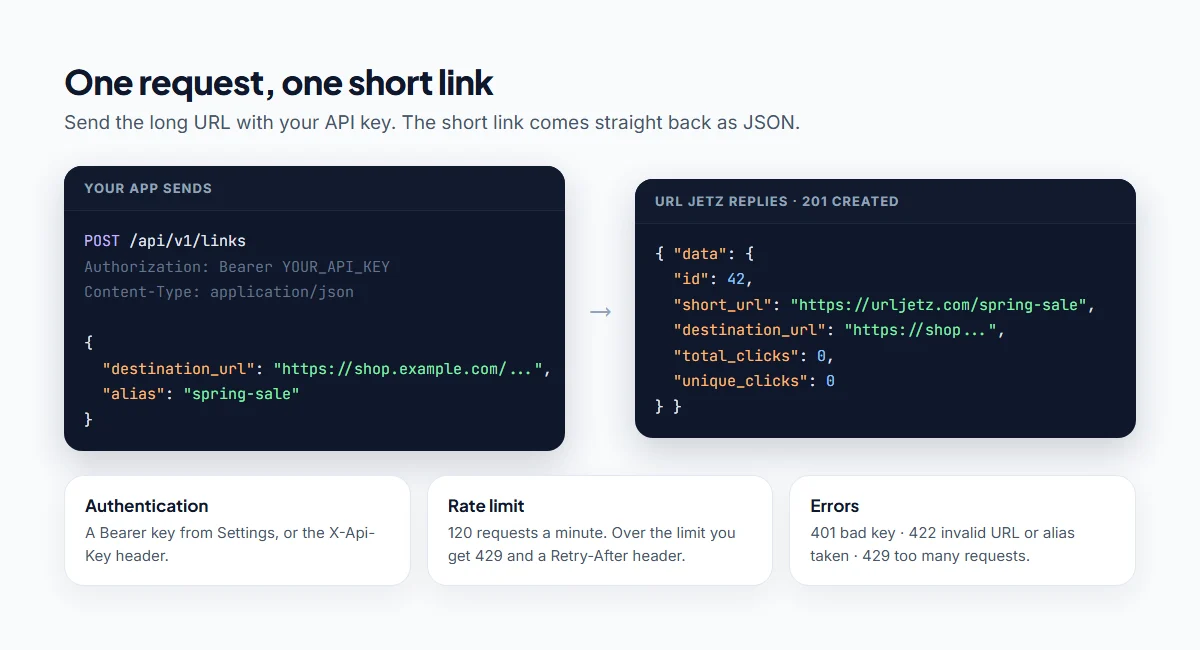
- Base URL:
https://urljetz.com/api/v1 - Authentication:
Authorization: Bearer YOUR_API_KEY(or anX-Api-Keyheader) - Format: JSON in, JSON out
- Rate limit: 120 requests a minute per key
Step 1: Get your free API key
- Create a free account and sign in.
- Open Settings and find the API section.
- Click Generate API Key and copy it straight away. For security, the full key is shown only once; afterwards you only see the last four characters.
Keep the key on your server or in a secret store. Never put it in browser JavaScript or a public repository, because anyone with the key can create links in your account.
Step 2: Create a short link
The only required field is destination_url. Everything else is optional.
curl -X POST https://urljetz.com/api/v1/links \
  -H "Authorization: Bearer YOUR_API_KEY" \
  -H "Content-Type: application/json" \
  -H "Accept: application/json" \
  -d '{"destination_url": "https://shop.example.com/collections/summer-2026", "alias": "summer-sale"}'
A successful request returns 201 Created:
{
  "data": {
    "id": 42,
    "slug": "summer-sale",
    "short_url": "https://urljetz.com/summer-sale",
    "destination_url": "https://shop.example.com/collections/summer-2026",
    "total_clicks": 0,
    "unique_clicks": 0,
    "created_at": "2026-11-11T10:00:00+00:00"
  }
}
Leave out alias and you get a random short code instead.
Code examples
PHP
<?php
$ch = curl_init('https://urljetz.com/api/v1/links');
curl_setopt_array($ch, [
    CURLOPT_POST => true,
    CURLOPT_RETURNTRANSFER => true,
    CURLOPT_HTTPHEADER => [
        'Authorization: Bearer ' . getenv('URL_SHORTENER_KEY'),
        'Content-Type: application/json',
        'Accept: application/json',
    ],
    CURLOPT_POSTFIELDS => json_encode([
        'destination_url' => 'https://shop.example.com/collections/summer-2026',
        'alias' => 'summer-sale',
    ]),
]);

$response = json_decode(curl_exec($ch), true);
$status = curl_getinfo($ch, CURLINFO_HTTP_CODE);
curl_close($ch);

echo $status === 201 ? $response['data']['short_url'] : $response['message'];
JavaScript (Node.js 18+)
const res = await fetch('https://urljetz.com/api/v1/links', {
  method: 'POST',
  headers: {
    Authorization: `Bearer ${process.env.URL_SHORTENER_KEY}`,
    'Content-Type': 'application/json',
    Accept: 'application/json',
  },
  body: JSON.stringify({
    destination_url: 'https://shop.example.com/collections/summer-2026',
    alias: 'summer-sale',
  }),
});

const body = await res.json();
console.log(res.ok ? body.data.short_url : body.message);
Python
import os
import requests

res = requests.post(
    "https://urljetz.com/api/v1/links",
    headers={
        "Authorization": f"Bearer {os.environ['URL_SHORTENER_KEY']}",
        "Accept": "application/json",
    },
    json={
        "destination_url": "https://shop.example.com/collections/summer-2026",
        "alias": "summer-sale",
    },
    timeout=10,
)

body = res.json()
print(body["data"]["short_url"] if res.status_code == 201 else body["message"])
Google Sheets (Apps Script)
Put long URLs in column A, starting at row 2. In the sheet, open Extensions → Apps Script, save your key under Project Settings → Script properties as API_KEY, then paste and run this function. It fills column B with short links and skips rows that already have one.
function shortenColumn() {
  const key = PropertiesService.getScriptProperties().getProperty('API_KEY');
  const sheet = SpreadsheetApp.getActiveSheet();
  const rows = sheet.getRange(2, 1, sheet.getLastRow() - 1, 2).getValues();

  rows.forEach(([longUrl, shortUrl], i) => {
    if (!longUrl || shortUrl) return;
    const res = UrlFetchApp.fetch('https://urljetz.com/api/v1/links', {
      method: 'post',
      contentType: 'application/json',
      headers: { Authorization: 'Bearer ' + key, Accept: 'application/json' },
      payload: JSON.stringify({ destination_url: longUrl }),
      muteHttpExceptions: true,
    });
    const body = JSON.parse(res.getContentText());
    sheet.getRange(i + 2, 2).setValue(res.getResponseCode() === 201 ? body.data.short_url : 'Error: ' + body.message);
  });
}
This is also the easiest way to replace an old script that used the closed Google URL Shortener API. See what happened to goo.gl.
Optional fields
| Field | What it does | Example |
|---|---|---|
alias |
Your own words after the slash (3 to 60 letters, numbers, - or _) |
"summer-sale" |
domain |
Which short domain to use; leave it out for the default | "urljetz.com" |
title |
A private label for your dashboard | "Summer sale, Instagram" |
expires_at |
The link stops working after this date and time | "2026-12-31T23:59:00Z" |
click_limit |
The link stops after this many clicks | 500 |
allowed_countries |
Only visitors from these countries are redirected | ["BD", "IN"] |
fallback_url |
Where everyone else goes when allowed_countries is set |
"https://example.com" |
is_active |
Pause (false) or resume (true) a link |
false |
List, update and delete links
# List your links (newest first, up to 100 per page)
curl "https://urljetz.com/api/v1/links?per_page=50&page=1" \
  -H "Authorization: Bearer YOUR_API_KEY"

# Get one link, including its click counts
curl https://urljetz.com/api/v1/links/42 -H "Authorization: Bearer YOUR_API_KEY"

# Change where a link points; the short URL stays the same
curl -X PATCH https://urljetz.com/api/v1/links/42 \
  -H "Authorization: Bearer YOUR_API_KEY" \
  -H "Content-Type: application/json" \
  -d '{"destination_url": "https://shop.example.com/winter"}'

# Delete a link
curl -X DELETE https://urljetz.com/api/v1/links/42 -H "Authorization: Bearer YOUR_API_KEY"
Every link object includes total_clicks, unique_clicks and last_clicked_at, so you can pull basic stats into your own reports. For charts by country, device and referrer, use the analytics dashboard. More on that in how to track clicks on a link for free.
Errors and how to handle them
| Status | Meaning | What to do |
|---|---|---|
401 |
Missing or invalid API key | Check the Authorization header |
403 |
The account is suspended | Contact support |
404 |
The link doesn't exist or isn't yours | Check the link ID |
422 |
Invalid input: bad URL, alias taken, or daily limit reached | Read the errors object and fix the field it names |
429 |
Too many requests | Wait for the number of seconds in the Retry-After header |
503 |
The API is temporarily disabled | Retry later |
A 422 response tells you exactly which field failed:
{
  "message": "This alias is already taken on the selected domain.",
  "errors": { "alias": ["This alias is already taken on the selected domain."] }
}
Best practices
- Keep your key secret. Call the API from your server, not from the visitor's browser.
- Save the short link in your own database once it's created. Don't create a new link for the same URL on every page load.
- Respect the rate limit. When you get
429, pause for the time inRetry-Afterand try again. - Use readable aliases for links people will see, such as product names or campaign names.
- Edit, don't recreate. If a destination changes,
PATCHthe existing link so printed QR codes and old posts keep working.
Frequently asked questions
Is there a completely free URL shortener API?
Yes. Url Jetz's API is free with your account, including custom aliases, editing, deleting and click counts. is.gd is free without a key but doesn't let you edit links. Bitly's free plan includes API access, but only 5 new links a month.
Do I need an API key?
For Url Jetz, yes. The key ties the links to your account, so you can edit them and see their clicks. Generating one is free and takes a few seconds.
How many links can I create through the API?
Up to 500 new links a day and 10,000 in total on the free plan, at up to 120 requests a minute.
Can I use the API from Google Sheets?
Yes. Use the Apps Script example above: it reads long URLs from one column and writes short links into the next.
Can I shorten links in bulk without coding?
Yes. Sign in and use Bulk shorten to paste up to 100 links at once. You can also use our free short link generator for one link at a time.
Written by
Url Jetz Team
We build Url Jetz, a free URL shortener with custom short links, QR codes, Link in Bio pages and real-time click analytics. Our guides are written from what we see every day helping people share better links.