How to Track Clicks on a Link for Free (Step-by-Step)
Want to know if anyone actually clicks the links you share? Here are three free ways to track link clicks, what each number means and how to use them.
In this article
Quick answer: The easiest free way is a tracked short link. Shorten your URL with Url Jetz, share the short link instead of the original, and open Analytics to see clicks, unique visitors, countries, devices and referrers in real time. For links to your own website, you can also add UTM tags and read them in Google Analytics.
You shared a link in a post, an email or a WhatsApp group. Did anyone click it? A plain link can't tell you: clicks on an untracked link are simply gone. Tracking is free and takes about a minute. This guide shows three ways to do it, which one to use when, and how to read the numbers.
The three free ways to track link clicks
| Method | Works anywhere you post? | Setup | Best for |
|---|---|---|---|
| Tracked short link | Yes | 1 minute | Social posts, bios, WhatsApp, QR codes, any destination |
| UTM tags + Google Analytics | Only links to your own site | 10 minutes | Seeing what visitors do after they arrive |
| Your email tool's reports | Only in that tool | None | Newsletter campaigns |
For most people a tracked short link is the fastest option, and it's the only one that works no matter where the link points.
Method 1: Track clicks with a short link
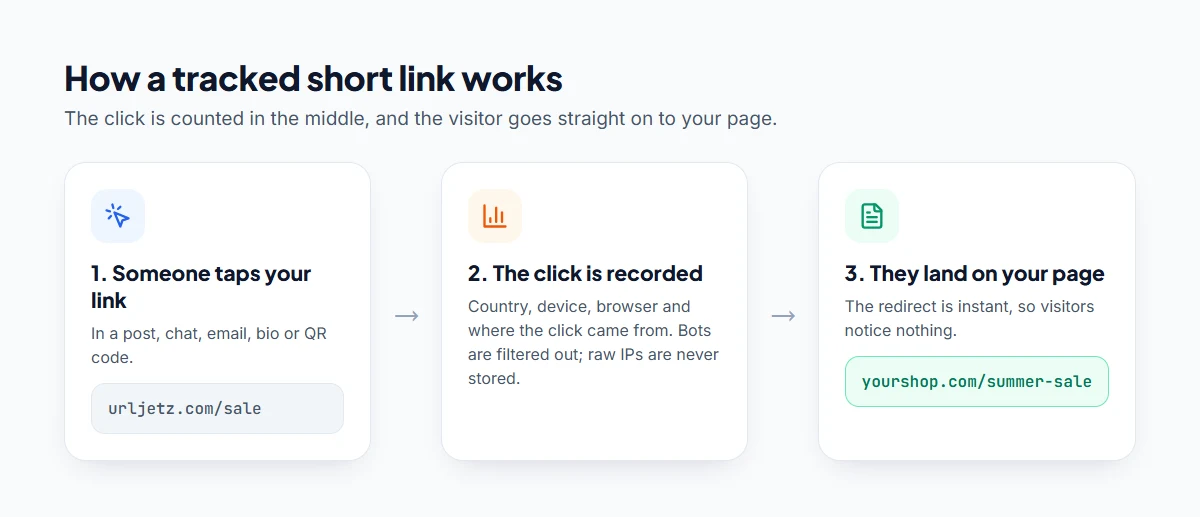
A tracking short link sits between your audience and the destination. When someone clicks, the click is recorded and the visitor is sent on to the real page instantly.
- Create a free Url Jetz account.
- Paste your long link into the shortener and click Shorten.
- Share the short link instead of the original: in your bio, post, email, ad or QR code.
- Open Analytics to watch clicks arrive in real time.
That's it. Here's what you'll see:
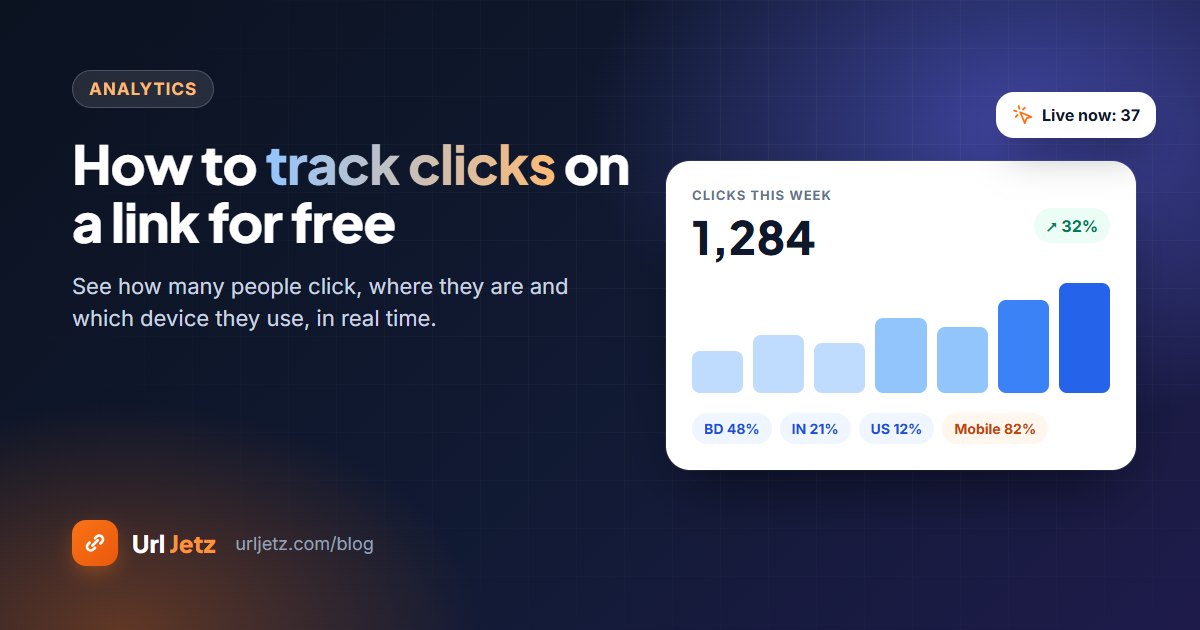
- Clicks and unique visitors: total taps, and how many different people they came from.
- Countries: where your audience really is.
- Devices, browsers and operating systems: mobile vs desktop, Android vs iPhone.
- Referrers: which site or app sent the click, such as Facebook, Instagram or Google.
- Clicks over time: hourly and daily charts, so you know when to post.
You can export everything to CSV or PDF for reports.
Bots are filtered out
Link previews, crawlers and monitoring tools also "open" links. Url Jetz classifies these separately, so your click numbers show real people, not robots.
Method 2: UTM tags and Google Analytics
If the link points to your own website and you use Google Analytics 4, add UTM tags to the end of the address.
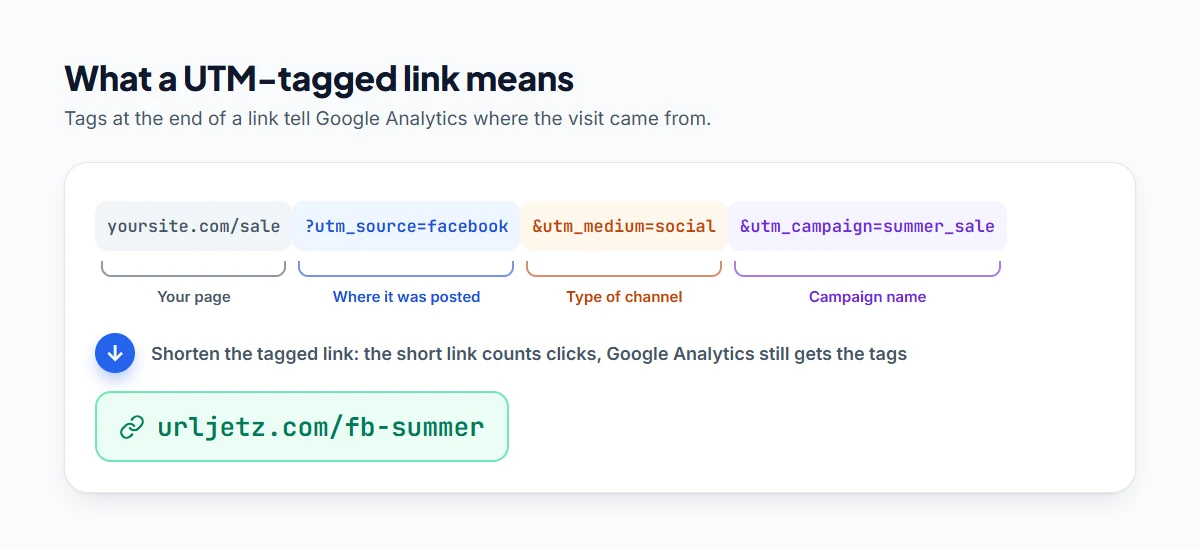
utm_source: where the link is posted (facebook, newsletter, whatsapp)utm_medium: the type of channel (social, email, cpc)utm_campaign: the campaign name
Google Analytics then reports visits by source and campaign, plus what people did on your site afterwards.
The catch: Google Analytics only sees visitors who reach a page where its code runs. It can't count clicks on links to other websites, a YouTube video, a Google Form or an Amazon product.
Best of both: add UTM tags to the long URL, then shorten it. The short link counts every click, and Google Analytics still receives the UTM data when visitors arrive.
Method 3: Your email tool
Newsletter tools like Mailchimp rewrite the links in your emails and report clicks per campaign. That's useful, but only for that tool. A short link gives you one place to compare email with social, WhatsApp and print.
Five tips to get useful numbers
- Create the tracked link before you share. You can't go back and count clicks on a link you already posted.
- Use one link per placement. Separate links for your Instagram bio, the newsletter and the poster tell you exactly which one worked.
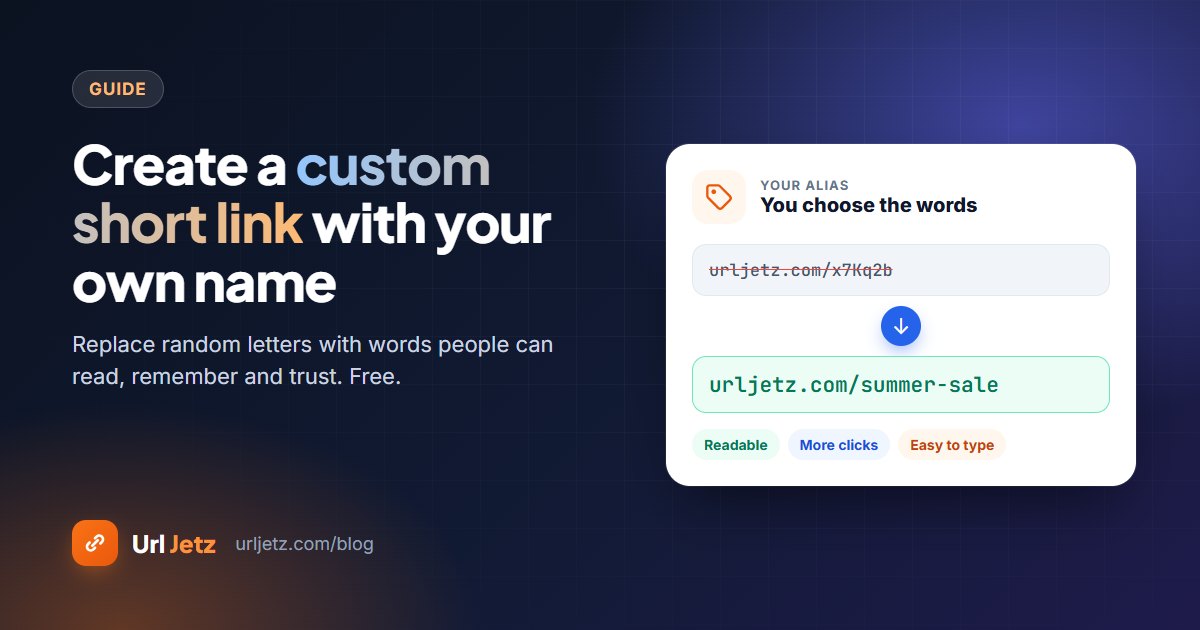
- Give links readable names like
urljetz.com/summer-sale. They get more clicks and are easier to find in your dashboard. See how to create a custom short link. - Compare clicks with results. 1,000 clicks and 10 sign-ups means the landing page needs work, not the post.
- Check weekly, not hourly. One big share can distort a day; trends over weeks tell the real story.
What about privacy?
Good link analytics doesn't need personal data. Url Jetz never stores raw IP addresses: it keeps a one-way hash to tell unique visitors apart, plus country, device and referrer. Raw click logs are deleted automatically after a short time, while your totals are kept.
Frequently asked questions
Can I see who clicked my link?
You can see how many people clicked, plus where they are and which device they use. You can't see names or personal details, and a privacy-friendly tool shouldn't show them.
Can I track clicks on a link I've already shared?
Not on the original link. Create a short link now and use it from here on. If the old post can be edited, swap in the short link.
Is click tracking really free?
Yes. On Url Jetz click analytics is part of the free plan, including real-time stats, countries, devices, referrers and exports.
What's the difference between clicks and unique visitors?
Clicks count every tap. Unique visitors count different people, so if one person taps your link five times, that's five clicks but one unique visitor.
Written by
Url Jetz Team
We build Url Jetz, a free URL shortener with custom short links, QR codes, Link in Bio pages and real-time click analytics. Our guides are written from what we see every day helping people share better links.