Tiny URL Maker: A Free TinyURL Alternative With Analytics
TinyURL is quick, but its free plan has no click stats and no editing. Here is how to make a tiny URL, how the free plans compare and when each one is the better choice.
In this article
Quick answer: To make a tiny URL, paste your long link into a URL shortener and click Shorten. TinyURL works without an account, but its free plan has no click analytics and you can't edit or delete links. If you want to see clicks and change links later for free, use a TinyURL alternative such as Url Jetz: you get custom names, real-time stats and editable links at no cost.
"Tiny URL" started as a brand name and became a generic word: any short web address that stands in for a long one. TinyURL has been around since 2002, and it's still one of the quickest ways to shorten a link. But the free plan has changed a lot, and for many people it no longer covers what they need.
This guide shows how to make a tiny URL, what TinyURL's free plan includes in 2026, and when a free alternative makes more sense.
What is a tiny URL?
A tiny URL is a short link that redirects to a longer address. Instead of sharing
https://shop.example.com/collections/summer-2026?utm_source=instagram&utm_medium=bio
you share something like urljetz.com/summer-sale. When someone opens the short link, the shortener sends them on to the full address instantly.
Tiny URLs are useful wherever space or readability matters: social posts and bios, WhatsApp and SMS, printed flyers and QR codes, slides, emails and video descriptions.
How to make a tiny URL with TinyURL
- Go to tinyurl.com.
- Paste your long link into the box.
- Optionally type a custom alias.
- Click Shorten URL and copy your new link.
It's fast and works without an account. The catch is what happens after the link exists.
What TinyURL's free plan includes (and what it doesn't)
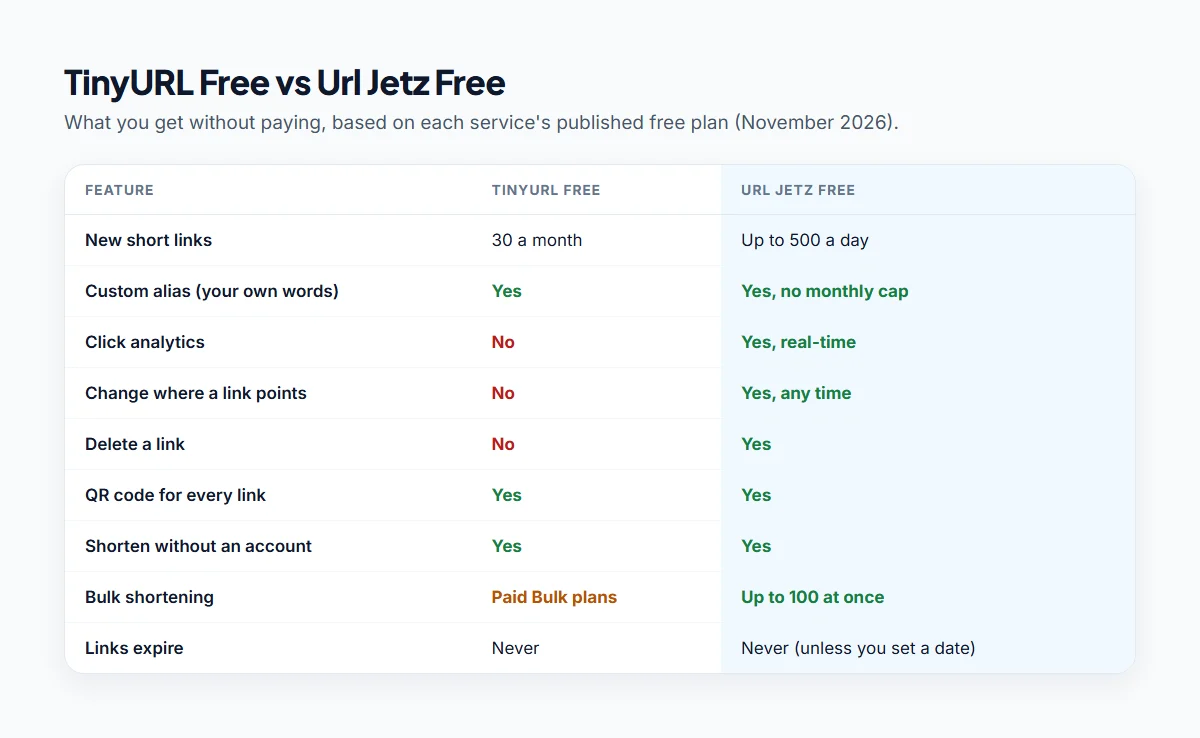
According to TinyURL's own pricing and help pages (November 2026), the free plan gives you:
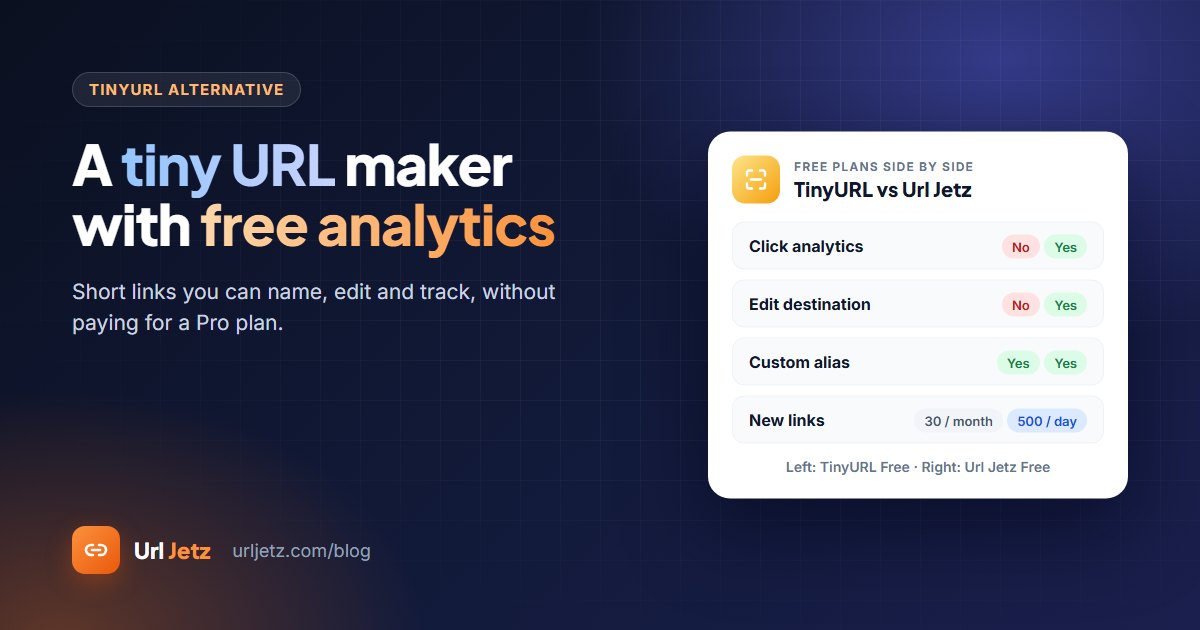
- 30 new links a month with a free account
- Custom aliases, so you can choose the words after the slash
- A QR code for every link
- Links that never expire
What you don't get on the free plan:
- No click analytics. You can't see how many people opened your link.
- No editing. You can't change where a free link points.
- No deleting. Once a free link is made, it stays.
Analytics and editing start on TinyURL Pro, from $9 a month on annual billing.
A free TinyURL alternative with analytics
If you want to see your clicks or fix a link after you've shared it, Url Jetz gives you that on the free plan. There are no paid tiers.
How to make a tiny URL with Url Jetz
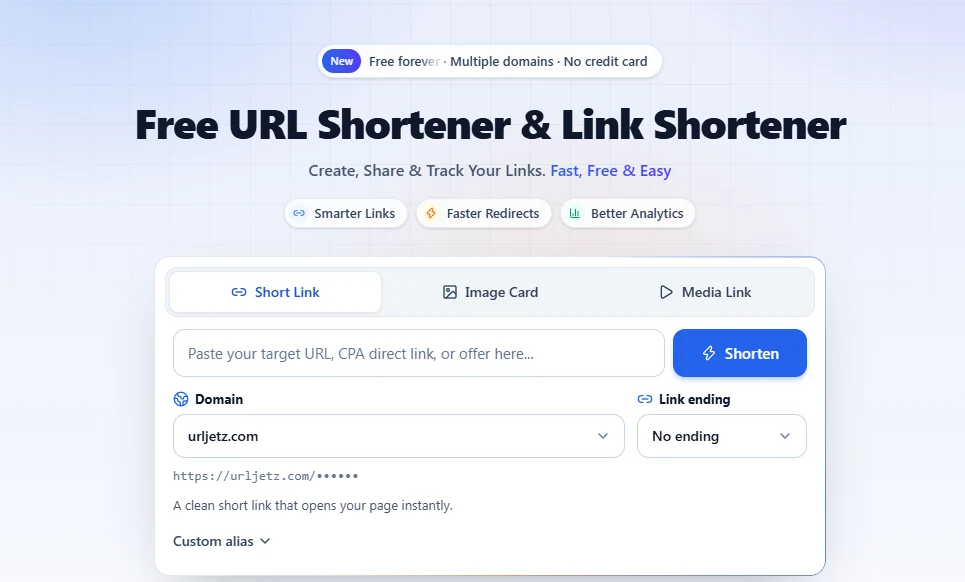
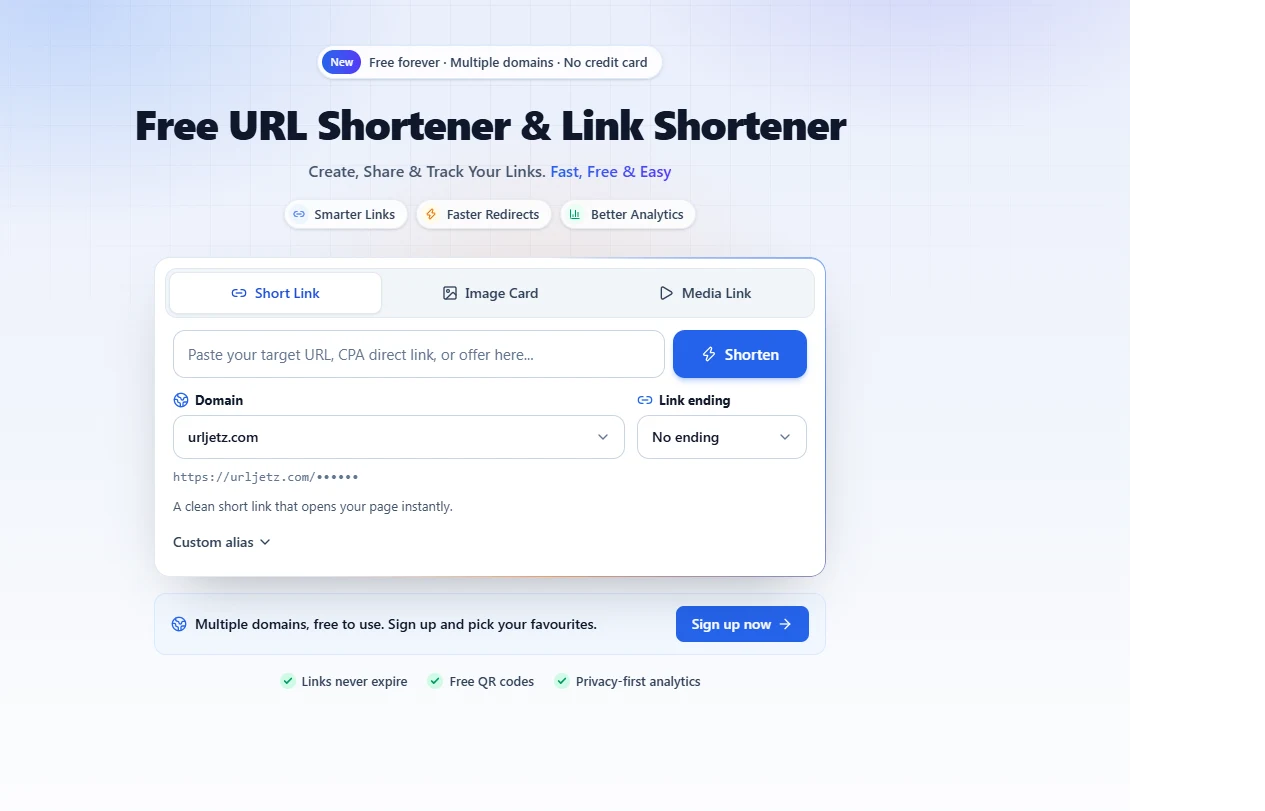
- Paste your long link into the box on the Url Jetz home page.
- Click Shorten. You can make up to 50 quick links a day without an account.
- Create a free account to unlock custom names, editing and analytics.
- Open Custom alias and type your words, for example
summer-sale. - Copy the link or download the QR code.
What you get for free
- Up to 500 new links a day (10,000 in total), with no monthly cap on custom names
- Real-time analytics: total and unique clicks, countries, devices, browsers, operating systems and referrers
- Bot filtering, so previews and crawlers don't inflate your numbers
- Editable links: change the destination, set an expiry date, cap the number of clicks or pause a link
- A choice of short domains for every link
- Bulk shortening of up to 100 links at once, and a REST API
- Link in Bio pages and Image Card links with your own preview picture
When TinyURL is still the better choice
To be fair, TinyURL is a good tool for some jobs:
- You need one quick link and will never look at it again. TinyURL is fast and needs nothing from you.
- You want the TinyURL name. It's been around for over 20 years and many people recognise it.
- You need a link that can never be changed. Some people like that a free TinyURL can't be edited by anyone, including them.
If any of those is you, TinyURL is fine. If you want to know whether people clicked, or you might need to change the destination later, choose a shortener that includes analytics and editing for free. Our comparison of the best free URL shorteners covers eight more options.
Tips for tiny URLs people will click
- Use words, not random letters.
urljetz.com/menutells people what they'll get;tinyurl.com/2p9x7k4hdoesn't. Here's how to create a custom short link. - Say what the link is. "Our Saturday menu: urljetz.com/menu" gets more clicks than a bare link.
- Make one link per place you share it. Separate links for Instagram, email and print show you which channel works. See how to track clicks on a link for free.
- Don't shorten links to logins or payment pages. Let people see the real domain.
Frequently asked questions
Is TinyURL free?
Yes. You can shorten links on TinyURL without an account, and a free account gives you 30 links a month with custom aliases and QR codes. Analytics and editing need a paid plan.
Do TinyURL links expire?
Links made on TinyURL's free plan don't expire. On Url Jetz, links also don't expire unless you set an expiry date yourself.
Can I edit a TinyURL after creating it?
Not on the free plan: you can't change where a free TinyURL points or delete it. On Url Jetz you can change the destination of any of your links at any time, for free.
Can I see how many people clicked my TinyURL?
Not on the free plan. TinyURL shows analytics on paid plans only. Url Jetz shows clicks, countries, devices and referrers on every free link.
What is the best free alternative to TinyURL?
If you want analytics and editable links without paying, Url Jetz includes both on its free plan. If you need your own branded domain, Short.io's free plan is worth a look. Our free URL shortener comparison lists the limits of each.
Is a tiny URL safe to click?
A tiny URL is as safe as the page it leads to. Reputable shorteners block known malicious links and let people report abuse. If you're unsure about a link, ask the sender what it is before you open it.
Written by
Url Jetz Team
We build Url Jetz, a free URL shortener with custom short links, QR codes, Link in Bio pages and real-time click analytics. Our guides are written from what we see every day helping people share better links.