How to Shorten a Google Form Link (With a Custom Name)
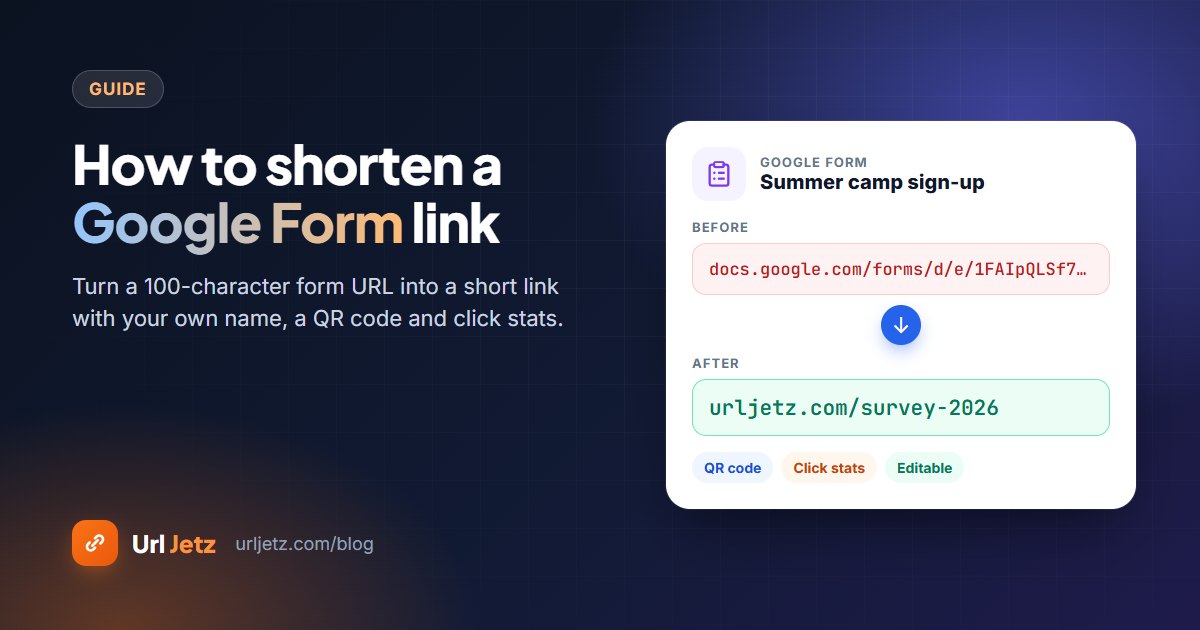
Google Forms links are over 100 characters long. Here is how to turn one into a short, readable link with your own words, a QR code and a click counter.
In this article
Quick answer: In Google Forms, click Send, open the link tab and copy the URL. Paste it into a URL shortener such as Url Jetz, type a custom name like
survey-2026, and click Shorten. You geturljetz.com/survey-2026, a free QR code and a live click counter.
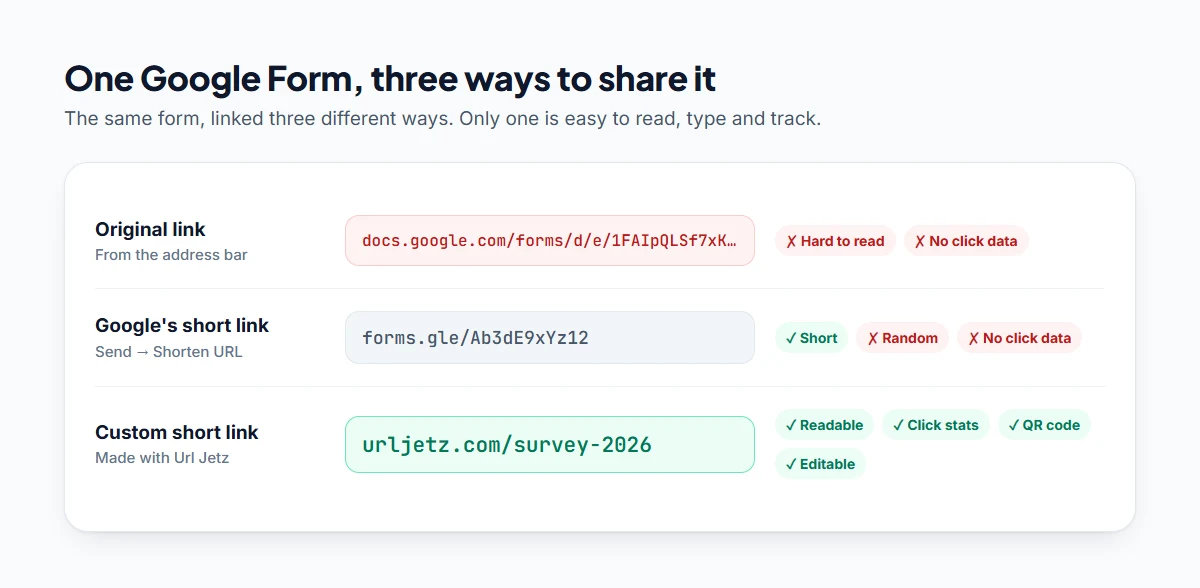
A typical Google Form address looks like this:
https://docs.google.com/forms/d/e/1FAIpQLSf7xKm9pQ2vR8nTdWbYcHjMoIuE/viewform?usp=sf_link
That's fine to click, but impossible to read out in a class, print on a flyer or type from a poster. This guide shows two ways to shorten a Google Form link and how to give it a name people actually remember.
Option 1: Google's built-in short link (forms.gle)
Google Forms can make a short link on its own:
- Open your form and click Send in the top-right corner.
- Choose the link tab (the chain icon).
- Tick Shorten URL.
- Click Copy.
You'll get something like forms.gle/Ab3dE9xYz12. It's shorter, but it has three limits:
- You can't choose the words. The ending is always random.
- You can't see clicks. Google shows responses, not how many people opened the form.
- You can't change where it points. If you replace the form, every printed link is out of date.
Option 2: A custom short link with Url Jetz (free)
A URL shortener puts your own words after the slash and counts every click. Here's how:
- Copy the form link. In Google Forms, click Send, open the link tab and copy the full URL. You can also copy it from the address bar while previewing the form.
- Create a free Url Jetz account. Custom names need an account; it's free and takes a minute.
- Paste the link into the shortener box.
- Pick a domain from the dropdown if you'd like a different short domain.
- Open "Custom alias" and type a name such as
survey-2026,club-signuporfeedback. - Click Shorten and copy your new link.
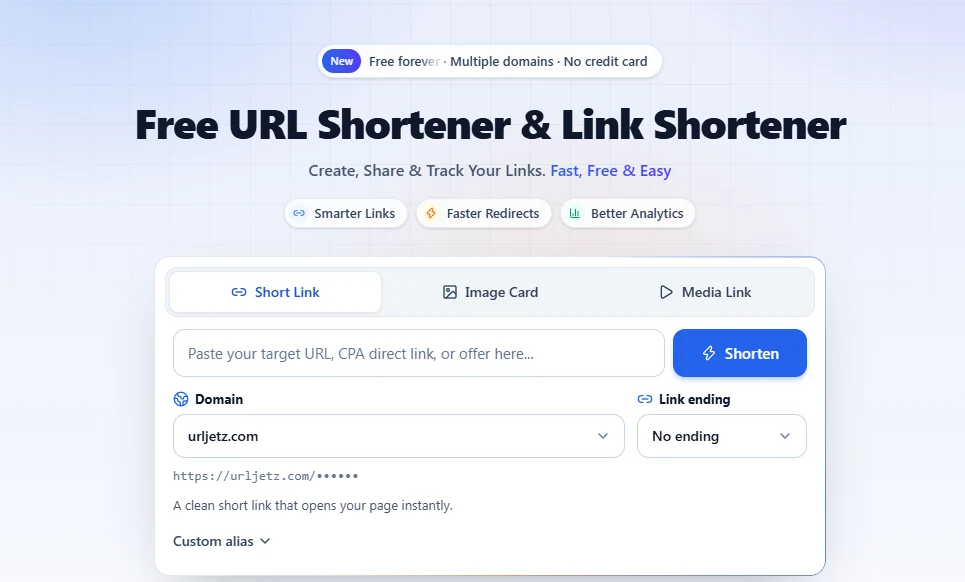
Your form is now at urljetz.com/survey-2026. Open it once to check that it lands on the right form.
Choosing a good name
- Say what the form is for:
open-day-rsvpis clearer thanform1. - Keep it short enough to type on a phone. Two or three words is the sweet spot.
- Use hyphens between words.
staff-surveyis easier to read thanstaffsurvey. - Add a year or term if you run the same form again:
summer-camp-2027.
Aliases can be 3 to 60 characters and use letters, numbers, hyphens and underscores.
Shorten a pre-filled Google Form link
Pre-filled links are where shortening helps the most. In Google Forms, open the three-dot menu and choose Get pre-filled link, fill in the answers you want pre-selected (for example the class name or the event date), then click Get link.
The result is often over 200 characters, full of entry.123456= parameters. Paste the whole thing into Url Jetz and you get one tidy link. Make one short link per group, such as class-7a and class-7b, and everyone lands on a form that's already filled in for them.
Tip: Separate links per group also give you separate click counts, so you can see which class or team still needs a reminder.
Add a QR code for posters and slides
Every Url Jetz short link comes with a free QR code. Download it from your links list and add it to:
- posters, notice boards and handouts
- the last slide of a presentation
- table cards at an event
Because the QR code points to your short link, you can change the destination later without reprinting anything.
See how many people opened your form
Google Forms counts responses; it doesn't tell you how many people opened the form and left. With a short link you see:
- total and unique clicks, in real time
- countries and devices, so you know if most people fill it in on a phone
- referrers, so you can tell whether the email or the WhatsApp group worked better
Comparing clicks with responses gives you your completion rate. If 400 people opened the form and only 90 replied, the form is probably too long. Read how to track clicks on a link for free for more ways to use these numbers.
Change the form without changing the link
Made a new version of the form for next term? Open the link in your Url Jetz dashboard and update its destination. The short link and the QR code stay exactly the same, so every flyer and email you've already sent keeps working.
Frequently asked questions
Can I change the Google Form URL itself?
No. Google doesn't let you choose the address of a form. Your options are Google's random forms.gle link or a custom short link from a URL shortener.
Is it free to shorten a Google Form link?
Yes. Google's own short link is free, and so is Url Jetz: custom aliases, QR codes and click analytics are all included on the free plan.
Will people see a warning when they open the short link?
No. A short link simply redirects to your form. To build trust, add a few words about what the link is, for example "Sign up for the school trip: urljetz.com/trip-signup".
Does shortening the link affect form responses?
No. Responses are still collected in Google Forms exactly as before. The short link only changes the address people click.
Written by
Url Jetz Team
We build Url Jetz, a free URL shortener with custom short links, QR codes, Link in Bio pages and real-time click analytics. Our guides are written from what we see every day helping people share better links.